
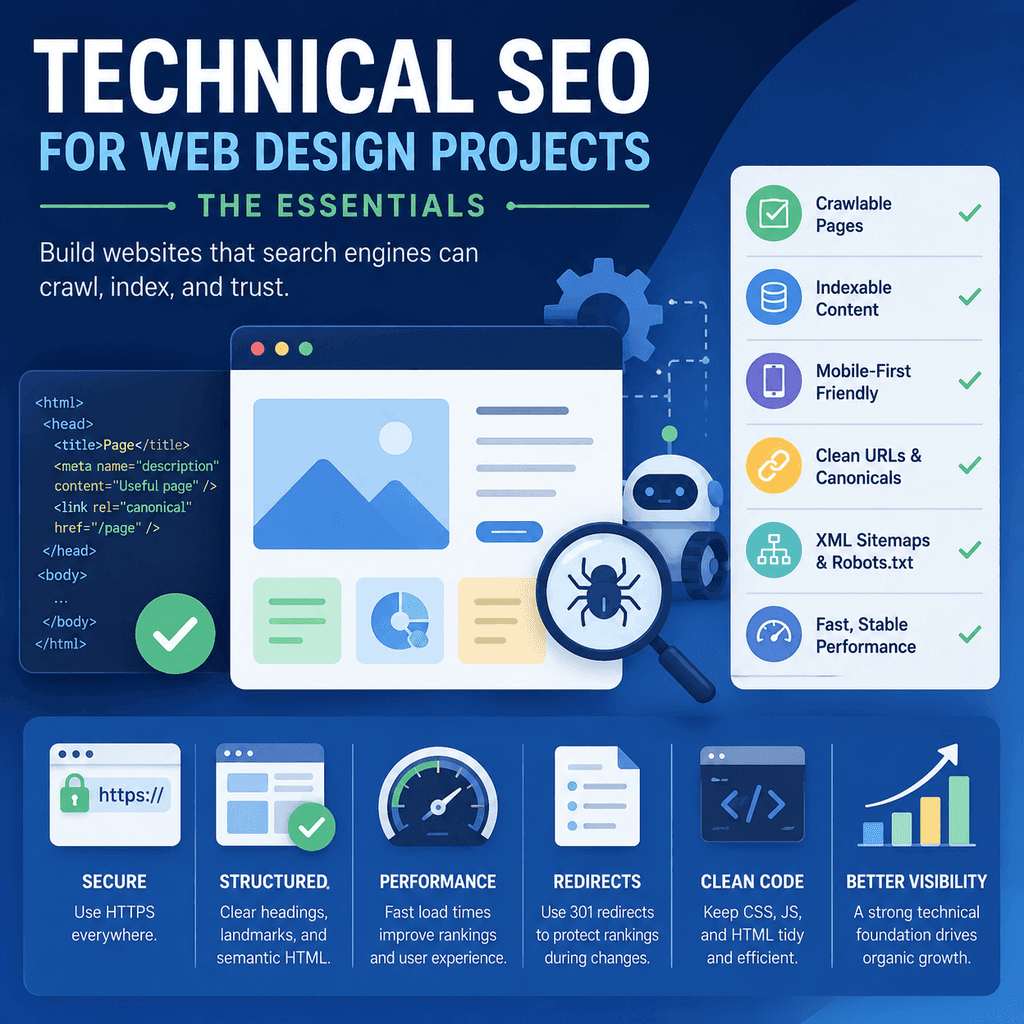
Introduction
A website redesign or launch can improve a business, but it can also damage search visibility if the technical basics are missed.
Technical SEO is the part of SEO that deals with whether search engines can discover, crawl, render, understand, index, and serve the right pages. It is not the whole of SEO, and it does not replace content quality, good design, trust, or a clear business offer. It is the foundation that allows useful pages to be eligible for search in the first place.
Google’s SEO Starter Guide frames SEO as helping search engines understand content and helping users find a site through search. Its Search Essentials describe the core technical requirements and best practices that help content become eligible for Google Search.
For site owners preparing to redesign or launch a new site, the practical question is not “have we installed an SEO plugin?” The better question is: can important pages be found, crawled, indexed, understood, and carried safely through the launch?
This guide focuses on the essentials that matter during a website build or redesign: crawlable links, indexable pages, mobile-first content parity, HTTPS, redirects, canonical tags, XML sitemaps, robots.txt, noindex, JavaScript rendering risks, URL structure, content quality, image handling, structured data, and launch checks.
Why Technical SEO Matters During a Web Design Project
A redesign changes the parts of a website that search engines and users depend on.
Designers and developers may change templates, navigation, URLs, page content, internal links, headings, redirects, scripts, image handling, and mobile layouts. Any of those changes can affect how a site is crawled, rendered, indexed, and understood.
The highest-risk redesign problems are usually not exotic. They are practical mistakes:
- Important pages disappear.
- Old URLs are not redirected.
- Redirects point to irrelevant pages.
- Navigation becomes harder to crawl.
- Pages are accidentally set to
noindex. robots.txtblocks important sections.- Mobile pages contain less useful content than desktop pages.
- JavaScript hides links or content that search engines need to see.
- Canonical tags point to the wrong URL.
- The XML sitemap lists old, redirected, blocked, or non-indexable URLs.
- Analytics, forms, calls, bookings, or ecommerce tracking stop working after launch.
Technical SEO should therefore be part of the build process, not an afterthought added after the site has launched.
| Redesign risk | Why it matters | Practical check |
|---|---|---|
| Important URLs change | Old search results, links, and bookmarks may stop working. | Create a redirect map before launch. |
| Pages are accidentally noindexed | Important pages may be excluded from search results. | Check robots meta tags and HTTP headers before launch. |
| Mobile pages are thinner than desktop pages | Google primarily uses the mobile version for indexing and ranking. | Compare mobile and desktop content, links, headings, and metadata. |
| Canonical tags are wrong | Search engines may choose a different URL from the one intended. | Check canonical tags against final live URLs. |
| Sitemap contains poor URLs | It sends weak discovery signals and can make auditing harder. | List only clean, canonical, indexable URLs that matter. |
Start with a Page Inventory
Before a redesign, create a list of the current site’s important URLs.
This is not glamorous work, but it prevents avoidable damage. If a page currently brings enquiries, sales, rankings, links, local visibility, useful organic traffic, or customer support value, it should not disappear silently during the rebuild.
A practical inventory should include:
- the current URL;
- the new URL, if it is changing;
- the page purpose;
- whether the page should remain indexable;
- the target redirect, if the old URL is being retired;
- important organic traffic or enquiry value;
- backlinks or important internal links, where known;
- any notes about content that must be preserved or improved.
The page inventory becomes the basis for redirect mapping, content migration, navigation planning, and post-launch checks.
Crawlable Links
Search engines discover many pages by following links. Google explains that it primarily finds pages through links from other pages it has already crawled, and its link best practices recommend using crawlable <a> elements with href attributes.
For a web design project, this means important pages should be linked in a way that search engines can follow and users can understand.
Use normal HTML links for important navigation and internal links.
<a href=”/services/boiler-servicing/”>Boiler servicing</a>Avoid relying on click handlers or interface elements that look like links but do not contain real link destinations.
<button data-url=”/services/boiler-servicing/”>Boiler servicing</button>The second example may be usable if JavaScript is written to handle it, but it is not a normal crawlable link. For important site architecture, plain links are safer and clearer.
Internal Links Should Reflect Page Importance
Internal linking is not only about crawlability. It also communicates site structure.
Important service pages should not be buried behind vague menus or only linked from a single blog post. If a page matters to the business, users and search engines should be able to reach it through a logical route.
Good internal linking usually includes:
- main navigation links to core service, product, treatment, or category areas;
- contextual links between related pages;
- clear anchor text that describes the destination;
- breadcrumb navigation where it helps orientation;
- footer links for stable business information, not for stuffing every keyword.
Use descriptive link text. “Emergency plumbing repairs” is clearer than “click here”.
Indexable Pages
A page being crawlable does not automatically mean it is indexable.
Indexing means a page can be stored and considered for search results. A page may be crawled but excluded from indexing because of a noindex directive, canonical signals, duplicate content, quality issues, redirects, errors, or other factors.
During a redesign, decide which pages should be indexable.
Normally indexable pages include:
- main service pages;
- product or category pages that should attract search visits;
- useful guides and resources;
- important location pages;
- case studies that support credibility;
- contact and about pages where appropriate.
Pages that often should not be indexed include internal search results, duplicate filtered views, checkout steps, private account areas, thin test pages, staging pages, thank-you pages, and low-value parameter combinations.
Noindex
The noindex directive tells compliant search engines not to show a page in search results. Google’s noindex documentation explains that Google must be able to crawl the page to see the directive.
It can be useful, but it is dangerous when left on important pages by mistake.
<meta name=”robots” content=”noindex”>A common launch error is moving a site from staging to live while leaving noindex rules in place. This can remove important pages from search.
Use noindex deliberately. Do not use it as a quick fix for pages that should be improved, consolidated, redirected, or removed.
Before launch, check that every important public page is indexable and does not contain an accidental noindex directive.
Robots.txt
A robots.txt file tells crawlers which parts of the site they are allowed to request. Google’s robots.txt documentation explains how Google interprets these files.
robots.txt is useful for crawl management, but it is not the same as noindex. A URL blocked in robots.txt may still appear in search results if Google discovers it through other signals, though Google may not be able to crawl the page content.
A simple WordPress-style robots.txt file might look like this:
User-agent: *Disallow: /wp-admin/Allow: /wp-admin/admin-ajax.php Sitemap: https://www.example.com/sitemap.xmlDuring a redesign, the dangerous pattern is this:
User-agent: *Disallow: /That may be appropriate on a private staging site, but it should not be pushed to the live website unless the site genuinely should not be crawled.
Do not use robots.txt to hide private information. If something is private, protect it with authentication or remove it from the public web.
Robots.txt vs Noindex
robots.txt and noindex are often confused.
| Control | What it mainly affects | Common redesign mistake |
|---|---|---|
robots.txt |
Whether compliant crawlers are allowed to request URLs. | Blocking the whole live site after launch. |
noindex |
Whether a crawled page may appear in search results. | Leaving staging noindex tags on live pages. |
rel="canonical" |
Which URL is preferred when duplicate or similar URLs exist. | Pointing canonical tags to staging, old, or unrelated URLs. |
| Redirect | Where users and crawlers are sent when a URL has moved. | Redirecting all old pages to the homepage. |
For site owners, the practical distinction is:
- Use
robots.txtwhen you need to stop compliant crawlers from requesting certain URLs. - Use
noindexwhen a page can be crawled but should not appear in search results. - Do not block a page in
robots.txtif Google needs to crawl it to see anoindexdirective. - Use redirects when a URL has moved and there is a relevant new destination.
- Use canonical tags to help consolidate duplicate or near-duplicate URLs, not to hide unrelated pages.
For most small business websites, robots.txt should be simple. Complex robots rules often create more risk than benefit.
XML Sitemaps
An XML sitemap lists URLs that you want search engines to discover. Google’s sitemap documentation explains that sitemaps can help search engines discover URLs and understand useful information such as when pages have changed.
A sitemap should not be treated as a dumping ground for every URL the website can generate. It should list clean, canonical, indexable URLs that matter.
A basic sitemap entry looks like this:
<url> <loc>https://www.example.com/services/boiler-servicing/</loc> <lastmod>2026-02-12</lastmod></url>Before launch, check that the sitemap does not include:
- old URLs that now redirect;
- 404 pages;
noindexpages;- blocked pages;
- duplicate parameter URLs;
- staging URLs;
- non-canonical versions of pages.
A sitemap can help discovery, but it does not guarantee that every listed URL will be crawled or indexed. Important pages should still be reachable through normal internal links.
Submit or resubmit the sitemap in Search Console after launch if appropriate.
Canonical Tags
A canonical tag helps indicate the preferred version of a page when similar or duplicate URLs exist. Google’s canonicalization documentation explains that canonical signals help Google choose the representative URL.
A canonical tag usually looks like this:
<link rel=”canonical” href=”https://www.example.com/services/boiler-servicing/”>Canonical tags are not a replacement for good URL planning, and they are not a command that forces Google to choose a URL in every case. They are one signal among several that Google may use when selecting a canonical URL.
During a redesign, check that canonical tags:
- point to the final live URL;
- use HTTPS if HTTPS is the chosen version;
- do not point to staging URLs;
- do not point every page to the homepage;
- do not contradict redirects;
- do not point important unique pages to unrelated pages.
A wrong canonical can tell search engines to prefer the wrong URL. That can reduce visibility for the page you actually want to appear.
Redirects
Redirects are essential when URLs change. Google’s redirect documentation explains how redirects signal that content has moved.
For redesigns, permanent redirects are usually used when an old URL has a clear new equivalent.
Old URL:https://www.example.com/boiler-service.html New URL:https://www.example.com/services/boiler-servicing/The redirect should take users and search engines from the old page to the most relevant new page.
Do not redirect every removed URL to the homepage. That is usually unhelpful because the homepage is rarely the closest match for a specific old page.
A redirect map should be created before launch, not improvised afterwards.
Redirect Mapping for Redesigns
A redirect map connects old URLs to their new destinations.
| Old URL | New URL | Reason |
|---|---|---|
/old-service-page/ |
/services/new-service-page/ |
Closest replacement service page. |
/about-us.html |
/about/ |
Same page purpose, cleaner URL. |
/prices/old-treatment/ |
/prices/ |
Pricing information consolidated into one page. |
/old-guide/ |
/resources/updated-guide/ |
Updated guide replaces older content. |
For each old URL, choose the closest useful replacement.
If there is no suitable replacement and the page is genuinely gone, a 404 or 410 response may be more honest than a misleading redirect.
After launch, test that redirects work and do not create chains.
A redirect chain looks like this:
/old-page/ -> /new-page-1/ -> /new-page-2/Better:
/old-page/ -> /new-page-2/HTTPS
Modern websites should use HTTPS.
HTTPS protects the connection between the user and the website, and users increasingly expect it as a basic trust signal. For forms, checkout pages, accounts, and contact pages, it is essential.
In a launch or redesign, HTTPS checks should include:
- the SSL/TLS certificate is valid;
- all important pages load on HTTPS;
- HTTP versions redirect to HTTPS;
- internal links use HTTPS URLs;
- canonical tags use HTTPS URLs;
- sitemaps list HTTPS URLs;
- mixed content warnings are fixed.
Mixed content happens when an HTTPS page loads insecure HTTP resources such as images, scripts, videos, fonts, or stylesheets. MDN’s mixed content documentation explains that this can weaken security and cause browsers to block or upgrade resources depending on the resource type.
URL Structure
URLs should be stable, readable, and aligned with the site structure.
Google’s URL structure guidance recommends simple, descriptive URLs where possible, and recommends using hyphens rather than underscores to separate words.
Clear:
/services/boiler-servicing/Less clear:
/page?id=4837&cat=2Do not change URLs casually. Every URL change creates redirect work and risk.
Good URL planning during a web design project usually means:
- using lowercase words where possible;
- using hyphens between words;
- keeping URLs short but descriptive;
- avoiding unnecessary dates or file extensions;
- avoiding unstable IDs where a descriptive slug works better;
- keeping a consistent structure for services, products, resources, and locations;
- avoiding URL fragments as the only way to load different page content.
Mobile-First Content Parity
Google uses mobile-first indexing, meaning it primarily uses the mobile version of a site’s content for indexing and ranking. Google’s mobile-first indexing guidance recommends making sure the mobile and desktop versions contain the same primary content and metadata.
This matters during design because mobile layouts often hide, collapse, shorten, or remove content.
That can be fine for presentation, but it is risky if the mobile version removes important content that search engines and users need.
Check that mobile pages include:
- the same primary text content;
- important headings;
- important links;
- structured data where relevant;
- image alt text where appropriate;
- product, service, pricing, and contact information needed by users;
- the same intent and usefulness as desktop.
Mobile design should improve usability, not create a thinner version of the page.
JavaScript Rendering Risks
JavaScript can build excellent websites, but it can also create SEO risk when important content or links depend on scripts in fragile ways.
Google’s JavaScript SEO documentation explains that Google processes JavaScript, but developers should still make sure content and links can be discovered and rendered reliably.
For site owners, the practical issue is simple: if important content only appears after complex JavaScript runs, you need to test whether search engines can see it.
Risks include:
- important internal links built only through click events;
- service copy loaded after user interaction;
- content hidden behind scripts that fail;
- pages that show empty shells before rendering;
- metadata changed only after delayed client-side code;
- infinite scrolling without crawlable links to deeper content;
- lazy-loaded content that is never loaded for crawlers.
JavaScript is not bad for SEO by itself. The risk is using it in a way that makes important content or links hard to discover, render, or verify.
Server-Side Rendering, Static HTML, and Critical Content
For important landing pages, service pages, product pages, and content pages, the safest pattern is that the primary content is present in the HTML or reliably rendered without requiring unusual user interaction.
That does not mean every site must be hand-coded static HTML. Many modern frameworks can generate crawlable pages through server-side rendering, static generation, or hybrid approaches.
The practical test is not the framework name. It is whether the final page gives users and search engines access to the important content, links, metadata, and status codes.
Ask the developer:
- Can the important page content be seen without waiting for complex client-side rendering?
- Are internal links real links?
- Are title elements and meta descriptions present in the initial document or reliably rendered?
- Do important pages return correct HTTP status codes?
- Can Search Console’s URL Inspection Tool inspect and render the page as expected?
Content Quality Is Still Technical SEO’s Partner
Technical SEO cannot rescue weak content.
A perfectly crawlable, indexable page can still fail if it is vague, duplicated, thin, inaccurate, or unhelpful.
Google’s guidance on helpful, reliable, people-first content asks site owners to assess whether content is original, useful, trustworthy, and created primarily for people.
During a redesign, content quality can accidentally decline. This often happens when old pages are shortened to fit a cleaner design or when useful details are removed because the new layout favours minimal copy.
Before cutting content, ask:
- Does this content answer a real customer question?
- Does it explain the service, product, treatment, or process clearly?
- Does it show experience or credibility?
- Does it help the visitor decide what to do next?
- Does the page become less useful without it?
Cleaner design should not mean less useful pages.
Title Elements and Meta Descriptions
Title elements help describe a page. Google’s title link documentation explains that Google may use the <title> element and other page signals when generating title links in search results.
Meta descriptions can influence snippets, although Google’s snippet documentation explains that snippets are generated automatically from page content and may use the meta description when it provides a better summary.
For a redesign, make sure titles and descriptions are migrated or rewritten deliberately.
A title should be accurate and specific:
<title>Boiler Servicing in Stockport | Example Plumbing</title>A meta description should summarise the page honestly:
<meta name=”description” content=”Boiler servicing in Stockport for homeowners and landlords, including annual service checks, safety advice, and appointment booking.”>Do not stuff meta descriptions with keywords. They should help users understand the result and decide whether the page is relevant.
Headings and Page Structure
Headings should describe the page structure.
The page title should normally be supplied by the theme as the main h1. Inside the content, use logical h2 and h3 sections.
Good headings help readers scan the page and help search systems understand the main topics.
Avoid headings that are vague or purely decorative.
Clear:
What Is Included in Boiler Servicing?Vague:
Everything You NeedImage SEO and Accessibility Basics
Images should be useful, compressed appropriately, and accessible.
Google’s image SEO guidance recommends using standard HTML image elements so images can be discovered, and W3C’s alt text decision tree explains when images need descriptive alternative text and when empty alt text may be appropriate.
When an image communicates meaning, use useful alt text.
<img src=”/images/service-area-map.webp” alt=”Map showing the service area for emergency plumbing appointments”>When an image is decorative, empty alt text may be appropriate.
<img src=”/images/decorative-wave.svg” alt=””>During a redesign, make sure important images are not oversized, broken, missing alt text where needed, or loaded in a way that delays the main content unnecessarily.
Structured Data
Structured data can help search engines understand certain types of content, such as products, local businesses, articles, events, breadcrumbs, and FAQs where appropriate. Google’s structured data documentation explains that structured data can make pages eligible for some search features, but it does not guarantee rich results.
Use structured data only when it accurately represents visible page content.
For a business website, common examples may include:
- Organization or LocalBusiness information;
- BreadcrumbList markup;
- Product markup for genuine product pages;
- Article markup for editorial content;
- FAQ markup only where the page genuinely has suitable FAQ content and current guidelines support the use case.
Do not add structured data for content that users cannot see on the page. Do not mark up fake reviews, invented ratings, or irrelevant information.
Staging Sites
Staging sites should not be publicly indexed.
Good staging protection usually means authentication, not only robots.txt or noindex.
Common staging mistakes include:
- staging URLs appearing in search results;
- canonical tags on the live site pointing to staging;
- sitemaps listing staging URLs;
- internal links still pointing to staging after launch;
robots.txtstaging blocks being copied to the live site;- temporary test content being published on the live site.
Before launch, crawl the new site and search the code for staging domains, temporary URLs, placeholder text, and test assets.
404 Pages and Removed Content
Not every removed page needs a redirect.
If a page has a close replacement, redirect it. If the page is genuinely gone and there is no relevant replacement, a 404 or 410 response can be appropriate.
A useful 404 page should help users recover.
It can include:
- a clear message;
- a link to the homepage;
- links to popular sections;
- site search where available;
- a way to contact the business if needed.
Do not redirect all missing pages to the homepage. That can confuse users and search engines.
Pagination, Filters, and Faceted Navigation
Ecommerce and directory sites often generate many URL variations through filters, sorting, pagination, and parameters. Google’s ecommerce guidance on pagination and incremental page loading explains that sites should provide crawlable links to paginated pages and avoid relying only on user interactions such as “load more” where search discovery is needed.
Examples include:
/products/?colour=blue/products/?size=large/products/?sort=price-low/products/page/3/Some of these URLs may be useful. Others may create duplicate, thin, or low-value pages.
Before launch, decide:
- which filtered pages should be crawlable and indexable;
- which should be blocked, noindexed, canonicalized, or left alone;
- how pagination is linked;
- whether important category pages have unique helpful content;
- whether filters create excessive crawl waste.
This is one of the areas where site-specific judgement matters. A small brochure site may not need much work here. A large ecommerce site may need a dedicated plan.
Performance and Page Experience
Performance affects users directly. A slow, unstable, or awkward site can reduce enquiries and sales even when rankings are not the immediate issue.
Google’s page experience guidance encourages site owners to look at page experience as a whole rather than focusing on only one metric.
For a web design project, practical performance checks include:
- compressing images;
- using modern image formats where appropriate;
- avoiding unnecessary scripts;
- loading critical content quickly;
- preventing large layout shifts;
- keeping fonts efficient;
- testing real mobile conditions, not only a fast office connection.
Do not treat performance as a final clean-up step. It is affected by design decisions from the beginning.
Pre-Launch Technical SEO Checklist
Before launching the new site, check the essentials.
- Important pages are present on the new site.
- Important pages are linked internally.
- Important pages are indexable.
- No accidental sitewide
noindexremains. robots.txtdoes not block important public content.- Canonical tags point to the correct final URLs.
- Old URLs have relevant redirects.
- Redirect chains are avoided.
- HTTP redirects to HTTPS.
- Internal links point to final live URLs.
- The XML sitemap lists only clean, indexable, canonical URLs.
- Mobile pages contain the same primary content as desktop pages.
- JavaScript-rendered content is visible and testable.
- Title elements and meta descriptions are present and accurate.
- Images are compressed and have appropriate alt text.
- Structured data is valid and represents visible content.
- Analytics and Search Console are ready.
- Staging URLs are not exposed on the live site.
Post-Launch Checks
Launch day is not the end of technical SEO.
After launch, check:
- the site loads on HTTPS;
- important pages return 200 status codes;
- old URLs redirect correctly;
- no important pages return 404 unexpectedly;
- Search Console can inspect and render important URLs;
- the sitemap has been submitted or updated;
- indexing issues are monitored;
- traffic and enquiry patterns are tracked;
- forms, calls, booking tools, and ecommerce steps still work;
- mobile pages work as expected.
Some changes in search visibility after a redesign are possible, especially when URLs, content, structure, or templates change. Monitoring helps separate normal reprocessing from avoidable technical problems.
What Site Owners Should Ask Their Web Designer
Site owners do not need to become technical SEO specialists, but they should ask practical questions.
- Will important URLs change?
- If they change, who is creating the redirect map?
- Will the new site have crawlable navigation links?
- Will important pages be indexable at launch?
- How will staging be blocked from public indexing?
- Will mobile pages include the same primary content as desktop?
- How will canonical tags be handled?
- Who will check
robots.txtbefore launch? - Who will generate and test the XML sitemap?
- How will JavaScript-rendered content be tested?
- Will old analytics and conversion tracking continue to work?
- Who will monitor Search Console after launch?
These questions are not about catching someone out. They are about making responsibilities clear before the launch creates avoidable risk.
Common Mistake: Treating SEO as a Plugin Setting
SEO plugins can be useful, especially on content management systems. They can help manage titles, descriptions, canonicals, sitemaps, and robots directives.
But a plugin does not automatically make a site technically sound.
A plugin cannot guarantee that:
- your content is useful;
- your redirects are mapped correctly;
- your navigation is crawlable;
- your mobile layout keeps content parity;
- your canonical tags make sense;
- your JavaScript content renders correctly;
- your old URLs are protected during a redesign.
Use tools, but do not outsource judgement to them.
Common Mistake: Cutting Content for Design
Modern layouts often favour clean sections and short copy. That can be good for readability, but it becomes a problem when useful detail is removed.
For example, a service page may lose:
- what the service includes;
- who it is for;
- pricing factors;
- location information;
- process details;
- evidence of experience;
- answers to common objections;
- next steps.
If the new page looks cleaner but answers fewer customer questions, the redesign may have weakened the page.
Design should organise useful content, not erase it.
Common Mistake: Changing URLs Without a Reason
Changing URLs creates migration work.
Sometimes URL changes are justified. A site may need a cleaner structure, a new content model, or removal of legacy paths.
But do not change URLs simply because the new site looks different.
If a URL is already clear, stable, indexed, linked, and performing, there should be a reason before changing it.
When URLs must change, redirect carefully and test the results.
Common Mistake: Launching Without Search Console
Search Console is one of the most important tools for monitoring technical SEO after launch.
It can show indexing issues, sitemap status, page experience information, search performance, and URL inspection results.
Set it up before launch where possible.
After launch, use it to inspect representative URLs, submit updated sitemaps, and monitor whether important pages are being discovered and indexed.
A Practical Technical SEO Build Workflow
A reliable workflow looks like this:
- Create a current URL inventory.
- Identify important pages and organic landing pages.
- Decide which pages stay, merge, improve, redirect, or retire.
- Plan the new URL structure.
- Create a redirect map before launch.
- Build crawlable navigation and internal links.
- Keep important content available on mobile and desktop.
- Set indexation rules deliberately.
- Configure canonical tags,
robots.txt, and sitemaps. - Test JavaScript-rendered content and links.
- Crawl the staging site before launch.
- Launch, then crawl and test the live site.
- Monitor Search Console and analytics after launch.
This workflow is not only for large websites. Even a small site benefits from knowing which pages matter and how they will survive the launch.
Best Practices
Plan technical SEO before the redesign starts.
Preserve or deliberately improve important pages.
Use crawlable HTML links for important navigation.
Make public pages indexable unless there is a clear reason not to.
Use noindex carefully and check that it is removed from live pages where needed.
Keep robots.txt simple and avoid blocking important public content.
Use XML sitemaps for clean, canonical, indexable URLs.
Use canonical tags consistently and avoid pointing them to the wrong place.
Map old URLs to the most relevant new URLs.
Use HTTPS consistently across pages, links, canonicals, and sitemaps.
Keep mobile and desktop primary content aligned.
Test JavaScript-rendered pages with real tools, not assumptions.
Maintain content quality during the redesign.
Monitor Search Console after launch.
Evidence and Source Quality
Technical SEO advice varies in quality. Some guidance is based on official documentation, standards, and reproducible testing. Some is based on outdated checklists, plugin marketing, or unsupported claims.
For launch and redesign decisions, use the strongest available sources first:
- Google Search Central documentation for crawling, indexing, sitemaps, canonicals, redirects, JavaScript SEO, mobile-first indexing, structured data, and page experience.
- Search Console evidence from the actual website.
- Standards and accessibility guidance, such as W3C guidance for alternative text.
- Browser documentation, such as MDN, for HTTPS, mixed content, and browser behaviour.
- Real crawl data from the staging and live site.
Be cautious with generic SEO checklists that do not explain the evidence behind their recommendations. A good technical SEO recommendation should identify the affected URL or template, the specific issue, why it matters, and how it will be tested after the fix.
Quick Summary
Technical SEO for web design projects is about protecting the search foundations of a website during a launch or redesign.
The essentials are not mysterious. Important pages must be discoverable, crawlable, indexable, understandable, mobile-friendly, and measurable.
Before launch, map old URLs, plan redirects, check noindex and robots.txt, confirm canonical tags, create a clean XML sitemap, test mobile content parity, verify HTTPS, and check JavaScript-rendered content.
After launch, monitor Search Console, test redirects, inspect important URLs, and confirm that forms, calls, bookings, ecommerce steps, and conversions still work.
The main lesson is simple: a well-designed site should not only look better. It should preserve and improve the technical conditions that let useful pages appear in search.