
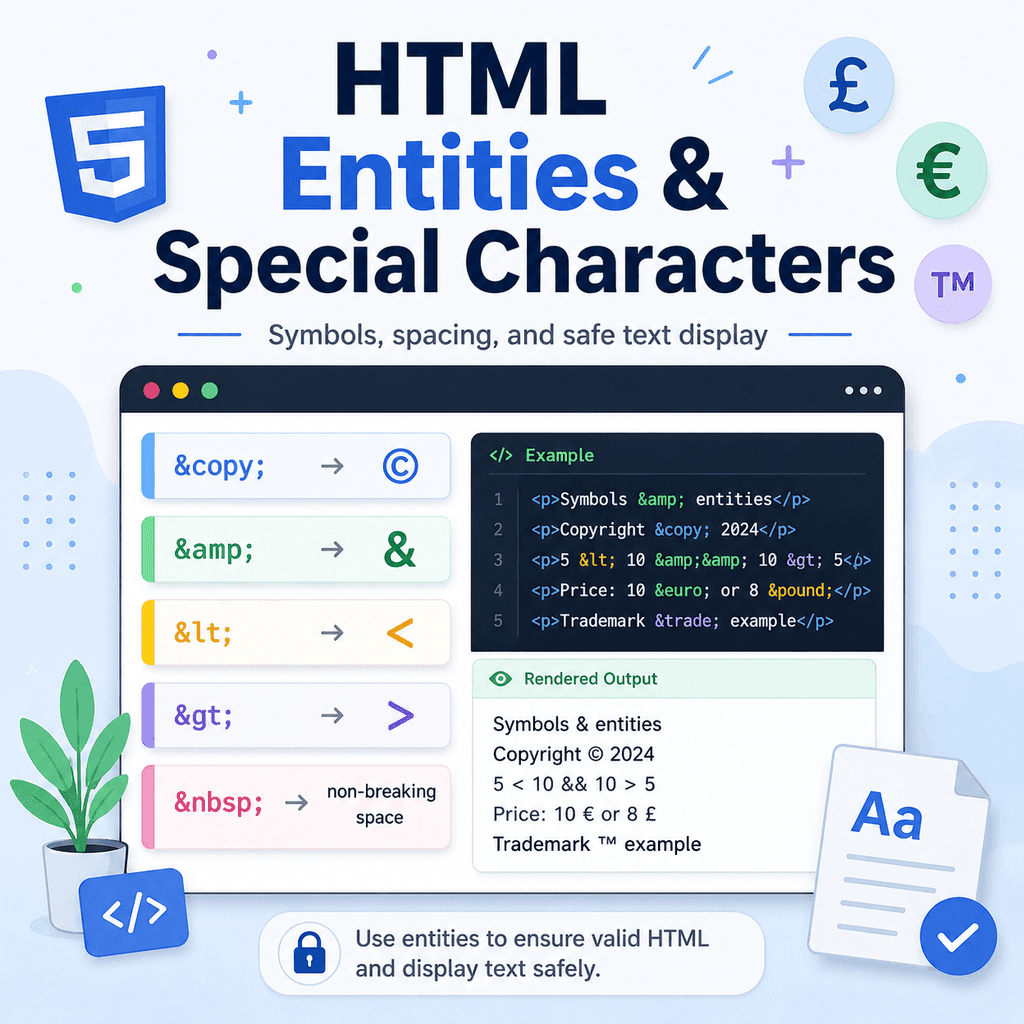
Introduction
HTML pages often include characters that need special handling.
For example, you may want to display a copyright symbol, an ampersand, angle brackets, quotation marks, currency symbols, or a space that should not break across two lines.
HTML entities are one way to write these special characters safely in your HTML code.
For example:
©displays as:
©Another example:
&displays as:
&HTML entities are useful when a character has special meaning in HTML, when a symbol is difficult to type, or when you need more control over spacing.
What Is an HTML Entity?
An HTML entity is a special code that represents a character.
Most named entities start with an ampersand:
&and end with a semicolon:
;For example:
©This is the HTML entity for the copyright symbol.
When the browser reads this code, it displays:
©The entity is what you write in the HTML.
The character is what the browser displays.
Why HTML Entities Are Useful
HTML entities are useful for several reasons.
Some characters have special meaning in HTML.
For example, the less-than sign is used to start HTML tags:
<If you want to display a less-than sign as text, you should write:
<Some characters may be hard to type on a keyboard.
For example, the copyright symbol can be written as:
©Some spacing needs special control.
For example, a non-breaking space can be written as:
HTML entities help the browser understand whether a character is part of the HTML code or something that should be displayed to the user.
The Copyright Entity: ©
The copyright entity is:
©It displays as:
©This is often used in website footers.
For example:
<footer> <p>© 2026 Bright Web Studio. All rights reserved.</p></footer>The browser displays:
© 2026 Bright Web Studio. All rights reserved.You can also type the copyright symbol directly:
<p>© 2026 Bright Web Studio</p>Both can work. However, using © is common in HTML because it is easy to recognise and reliable in code.
The Ampersand Entity: &
The ampersand entity is:
&It displays as:
&This is important because the ampersand is used to start HTML entities.
For example, this entity:
©starts with an ampersand.
If you want to display a normal ampersand in text, it is safest to write:
&For example:
<p>Design & Development</p>The browser displays:
Design & DevelopmentWhy Ampersands Need Care
In many cases, a browser may still display a plain ampersand correctly.
For example:
<p>Design & Development</p>may display as expected.
However, it is better practice to write:
<p>Design & Development</p>This avoids confusion because the ampersand has a special role in HTML.
This is especially important in URLs or text that contains query strings.
For example:
<a href=”search.html?category=html&level=intro”>Search HTML lessons</a>In the browser, the URL still works with an ampersand between the parameters.
In the HTML source code, & makes the ampersand safe and clear.
The Less-Than Entity: <
The less-than entity is:
<It displays as:
<This is very useful when writing tutorials about HTML.
For example, if you want to show the <p> tag as text, you should not write this directly inside a paragraph:
<p>The <p> tag creates a paragraph.</p>The browser may treat the second <p> as a real HTML tag.
Instead, write:
<p>The <p> tag creates a paragraph.</p>The browser displays:
The <p> tag creates a paragraph.The Greater-Than Entity: >
The greater-than entity is:
>It displays as:
>It is often used with < when displaying HTML tags as text.
For example:
<p>Use <h1> for the main heading of a page.</p>The browser displays:
Use <h1> for the main heading of a page.The less-than sign starts the displayed tag.
The greater-than sign ends the displayed tag.
Together, < and > allow you to show HTML code without the browser treating it as real markup.
Displaying HTML Code as Text
HTML entities are especially useful when displaying code examples.
For example, to show this code to the user:
<p>This is a paragraph.</p>you need to write it like this in your HTML:
<pre><code><p>This is a paragraph.</p></code></pre>The browser then displays the code instead of turning it into a real paragraph.
This is common in HTML tutorials, documentation, and learning resources.
Non-Breaking Spaces:
The non-breaking space entity is:
It displays as a space, but it prevents a line break at that point.
A normal space allows text to break across lines.
A non-breaking space keeps two pieces of text together.
For example:
<p>Price: £10 per month</p>This helps keep parts of the phrase together instead of allowing awkward line breaks.
Another example:
<p>Chapter 1</p>This keeps “Chapter” and “1” together on the same line.
When to Use a Non-Breaking Space
Use when two pieces of text should stay together.
Common examples include:
names and initialsnumbers and unitsshort labels and valuescurrency amountsdates or referencesFor example:
<p>Dr Smith</p><p>10 kg</p><p>£25 per hour</p><p>Section 4</p>In each example, the non-breaking space helps prevent an awkward line break.
Do Not Use for Layout Spacing
A common mistake is using lots of non-breaking spaces to push content across the page.
Avoid this:
<p>Home About Contact</p>This is not a good way to create layout spacing.
Use proper HTML and CSS instead:
<nav> <a href=”index.html”>Home</a> <a href=”about.html”>About</a> <a href=”contact.html”>Contact</a></nav>nav { display: flex; gap: 24px;}Use for non-breaking text, not visual layout.
Common Symbol Entities
HTML includes many named entities for symbols.
For example:
©displays:
©®displays:
®™displays:
™£displays:
£€displays:
€—displays:
—–displays:
–These entities can be useful when you need symbols that are not always easy to type.
Common Entity Reference Table
Here are some useful HTML entities:
Entity Displays as Meaning© © copyright& & ampersand< < less-than sign> > greater-than sign space non-breaking space® ® registered trademark™ ™ trademark£ £ pound sign€ € euro sign— — em dash– – en dash" ” quotation mark' ‘ apostropheThe most important ones for many HTML learners are:
&<> and:
©These appear often in real HTML code.
Named Entities and Numeric Entities
Many characters can be written as named entities or numeric entities.
A named entity uses a readable name.
For example:
©A numeric entity uses a number.
For example:
©Both display:
©Another example:
£and:
£both display:
£Named entities are often easier to read when they are available.
Numeric entities are useful when a named entity is not available or when you are working with a specific character code.
Using Symbols Directly
Modern HTML pages commonly use UTF-8 character encoding.
That means many symbols can be typed directly into the HTML file.
For example:
<p>© 2026 Bright Web Studio</p><p>Price: £25</p><p>Temperature: 20°C</p>These can work correctly when the page uses UTF-8.
A typical HTML document includes:
<meta charset=”UTF-8″>inside the <head>:
<head> <meta charset=”UTF-8″> <title>My Page</title></head>Using UTF-8 makes it easier to display a wide range of characters and symbols.
Entities vs Direct Characters
In modern HTML, both of these can work:
<p>© 2026 Bright Web Studio</p>and:
<p>© 2026 Bright Web Studio</p>Both display:
© 2026 Bright Web StudioSo when should you use an entity?
Use entities when the character has special meaning in HTML, such as:
&<>Use entities when they make the code clearer or easier to type, such as:
©Use direct characters when they are easy to type, readable, and your document uses UTF-8.
Entities Must End with a Semicolon
HTML entities should end with a semicolon.
Correct:
©Incorrect:
©Correct:
&Incorrect:
&Some browsers may still understand some entities without the semicolon, but you should not rely on that.
Always include the semicolon.
It makes the code clearer and avoids parsing problems.
Entities Are Case-Sensitive
Many named entities are case-sensitive.
That means uppercase and lowercase letters can matter.
For example:
©is the standard named entity for the copyright symbol.
Writing the wrong case may not work as expected.
As a habit, copy entity names carefully and keep them consistent.
Using Entities in Attributes
HTML entities can also appear inside attribute values.
For example:
<img src=”images/logo.png” alt=”Bright Web Studio & Design logo”>The alt text will be understood as:
Bright Web Studio & Design logoAnother example:
<a href=”search.html?topic=html&level=intro”>HTML introduction search</a>The href value uses & to represent the ampersand safely.
Entities are not only for visible text between tags. They can also be useful inside attributes.
A Complete Example
Here is a complete HTML page using several entities and special characters:
<!DOCTYPE html><html lang=”en”><head> <meta charset=”UTF-8″> <title>HTML Entities Example</title></head><body> <h1>HTML Entities</h1> <p>© 2026 Bright Web Studio. All rights reserved.</p> <p>Design & Development services for small businesses.</p> <p>The <p> element creates a paragraph.</p> <p>Use <img> to add an image to a page.</p> <p>Price: £25 per hour.</p> <p>Registered trademark symbol: ®</p> </body></html>This example uses:
©for the copyright symbol,
&for the ampersand,
<and:
>to display HTML tags,
to keep text together,
and:
®for the registered trademark symbol.
Common Mistake: Forgetting to Escape Angle Brackets
If you are trying to display HTML code, do not write the tags directly.
Incorrect:
<p>The <img> element adds an image.</p>Better:
<p>The <img> element adds an image.</p>The first example may be interpreted as actual HTML.
The second example displays the tag as text.
Common Mistake: Forgetting &
Ampersands should usually be escaped as & in HTML text and attributes.
Less careful:
<p>Design & Development</p>Better:
<p>Design & Development</p>This is clearer because & starts HTML entities.
It is especially important in URLs:
<a href=”search.html?topic=html&level=intro”>Search</a>Common Mistake: Using for Indentation
Do not use non-breaking spaces to indent text or create columns.
Avoid:
<p> Indented text</p>Better:
<p class=”indented-text”>Indented text</p>.indented-text { margin-left: 2rem;}Use CSS for visual spacing.
Use only when text should not break across lines.
Common Mistake: Missing the Semicolon
Incorrect:
©Correct:
©Incorrect:
<Correct:
<The semicolon is part of the entity syntax.
Always include it.
Common Mistake: Overusing Entities
You do not need to replace every symbol with an entity.
For example, if your page uses UTF-8, this is usually fine:
<p>Price: £25</p>You could also write:
<p>Price: £25</p>Both can work.
The most important entities to remember are the ones that prevent HTML confusion:
&<>and the ones you use often, such as:
©and:
Best Practices
Use © for the copyright symbol when writing website footers.
Use & when you need to display an ampersand safely.
Use < and > when displaying HTML tags as text.
Use only when text should stay together on one line.
Do not use for layout spacing or indentation.
Always include the semicolon at the end of an entity.
Use UTF-8 for modern HTML pages.
Use direct symbols when they are readable, easy to type, and safe.
Use entities when the character has special meaning in HTML or improves clarity.
Summary
HTML entities are special codes used to display characters safely in HTML.
For example:
©displays:
©&displays:
&<displays:
<>displays:
> creates a non-breaking space.
Use entities when characters have special meaning in HTML, when symbols are hard to type, or when you need to control whether text can break across lines.
For modern HTML, make sure your page uses UTF-8:
<meta charset=”UTF-8″>Once you understand entities, it becomes easier to display symbols, write clear code examples, and avoid confusing the browser with characters that have special meaning in HTML.