
Introduction
Quotes are common on web pages. You might quote a person, a book, an article, a review, a testimonial, a speech, or another website.
HTML gives you several elements for marking up quotes and citations properly.
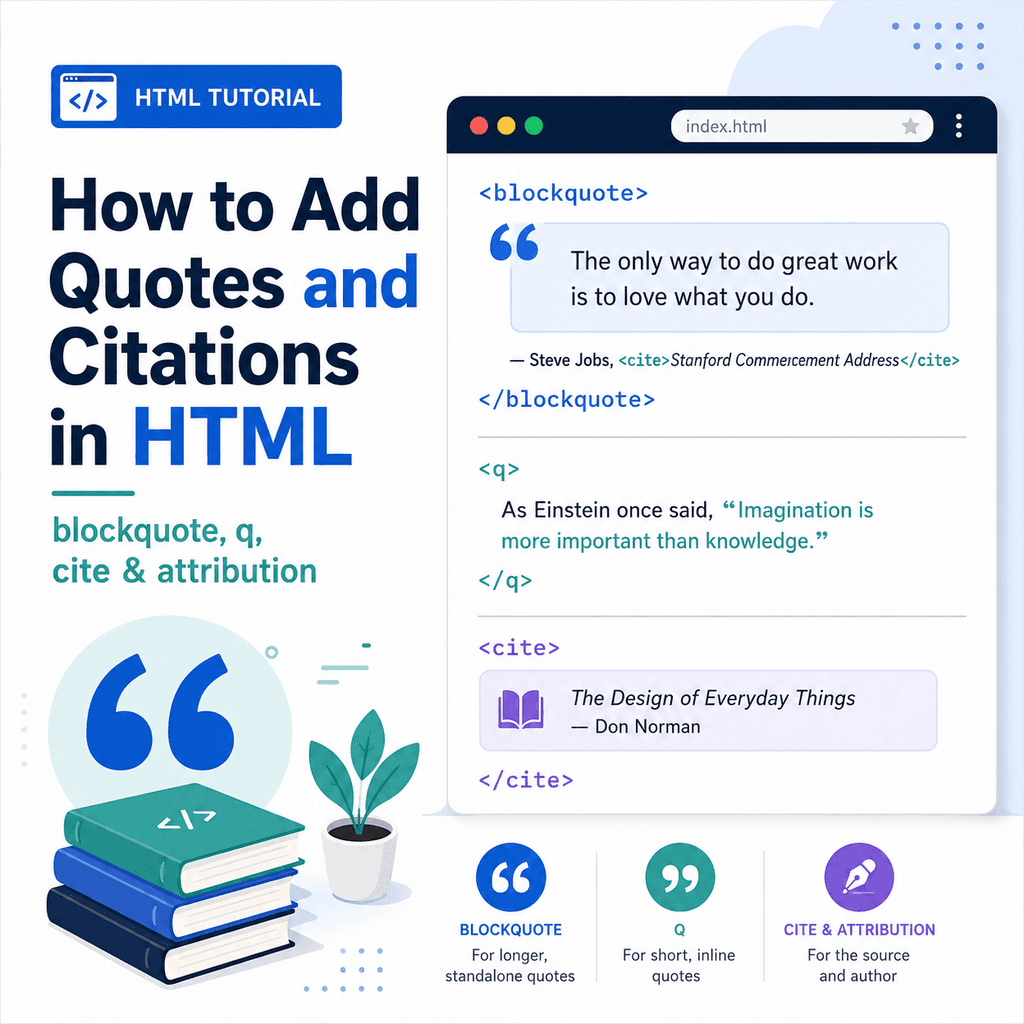
The main elements covered in this guide are:
<blockquote><q><cite>These elements help describe quoted content more clearly.
The <blockquote> element is used for longer quotations.
The <q> element is used for short inline quotations.
The <cite> element is used for the title of a cited work, such as a book, article, film, website, report, or paper.
Attribution is the text that explains who said something or where the quote came from.
Why Quote Markup Matters
You could write a quote as ordinary text:
<p>”HTML gives structure to web content.” – Web Basics Guide</p>This may look understandable to a person, but it does not give the browser much information about the structure of the quote.
A more meaningful version might be:
<blockquote> <p>HTML gives structure to web content.</p></blockquote> <p>Source: <cite>Web Basics Guide</cite></p>This makes the quotation and source clearer.
Good quote markup helps separate the quoted words from your own writing. It also makes the HTML easier to read, style, and maintain.
The <blockquote> Element
The <blockquote> element is used for longer quotations.
A block quote is usually a quote that stands apart from the surrounding paragraph.
For example:
<blockquote> <p>HTML is the standard markup language for creating web pages.</p></blockquote>Most browsers display blockquotes with indentation by default.
The exact appearance can be changed with CSS.
The important point is that <blockquote> tells the browser that the content is a quoted section.
When to Use <blockquote>
Use <blockquote> when the quote is long enough to stand as its own block.
For example:
<p>The guide explains HTML like this:</p> <blockquote> <p>HTML is used to describe the structure of a web page. It tells the browser what different parts of the content are.</p></blockquote>The quote is separate from the paragraph before it.
This is a good use of <blockquote> because the quoted text is a larger section of content.
Using Paragraphs Inside <blockquote>
A <blockquote> can contain one or more paragraphs.
For example:
<blockquote> <p>Good HTML describes the meaning of content.</p> <p>CSS can then be used to control how that content looks.</p></blockquote>Each paragraph inside the quote should use its own <p> element.
This keeps the quoted content structured clearly.
The cite Attribute on <blockquote>
The <blockquote> element can use a cite attribute.
The cite attribute can contain a URL for the source of the quote.
For example:
<blockquote cite=”https://www.example.com/html-guide”> <p>HTML is used to structure content on the web.</p></blockquote>The cite attribute is not usually shown visibly on the page.
It provides source information in the HTML.
If you want users to see the source, add visible attribution as well.
For example:
<blockquote cite=”https://www.example.com/html-guide”> <p>HTML is used to structure content on the web.</p></blockquote> <p>Source: <cite>Example HTML Guide</cite></p>The cite attribute gives machine-readable source information.
The visible text gives users a source they can read.
The <q> Element
The <q> element is used for short inline quotations.
An inline quote appears inside a sentence or paragraph.
For example:
<p>The article describes HTML as <q>the language used to structure web pages</q>.</p>In many browsers, quotation marks are added automatically around the text inside <q>.
The <q> element is useful when the quote is short and does not need to stand as a separate block.
When to Use <q>
Use <q> for short quotes inside normal text.
For example:
<p>Chris said, <q>Clear HTML is easier to maintain.</q></p>Another example:
<p>The tutorial calls semantic HTML <q>HTML that describes meaning, not just appearance</q>.</p>In both examples, the quote is part of a larger sentence.
That makes <q> a better fit than <blockquote>.
<blockquote> vs <q>
The difference between <blockquote> and <q> is mainly the size and position of the quote.
Use <blockquote> for longer quotes that stand alone:
<blockquote> <p>Clear HTML makes a page easier to understand, easier to maintain, and easier to style.</p></blockquote>Use <q> for short quotes inside a sentence:
<p>The guide says <q>clear HTML makes a page easier to understand</q>.</p>A simple way to remember the difference is:
<blockquote> = longer quote as its own block<q> = short quote inside a sentenceThe <cite> Element
The <cite> element is used for the title of a creative work or cited source.
This might include:
a book titlean article titlea report titlea research paper titlea website titlea film titlea song titlea podcast titlea painting titlea legal case titleFor example:
<p>One useful resource is <cite>HTML: The Living Standard</cite>.</p>The <cite> element marks the title of the cited work.
Browsers often display <cite> text in italics by default.
What <cite> Is For
Use <cite> for the name of the work being referenced.
For example:
<p>The quote appears in <cite>A Guide to Web Basics</cite>.</p>Another example:
<p>For more detail, read <cite>Understanding Semantic HTML</cite>.</p>In these examples, the cited titles are marked with <cite>.
What <cite> Is Not For
A common mistake is using <cite> for the name of the person being quoted.
For example, this is usually not the best use:
<p><cite>Chris Smith</cite> said, <q>HTML should describe meaning.</q></p>The person’s name is not the title of a work.
A better version is:
<p>Chris Smith said, <q>HTML should describe meaning.</q></p>If you are citing a titled article, book, or page, use <cite> for that title:
<p>Chris Smith wrote about this in <cite>Understanding Semantic HTML</cite>.</p>The <cite> element is for the work, not usually the speaker.
Adding Attribution
Attribution means explaining who said the quote or where it came from.
For example:
<blockquote> <p>Clear structure makes HTML easier to read and maintain.</p></blockquote> <p>— Chris Smith, <cite>Web Design Notes</cite></p>The blockquote contains the quoted words.
The paragraph after it gives the attribution.
The person’s name is written as normal text.
The cited work title is marked with <cite>.
Attribution with a Link
If the source is available online, you can make the citation a link.
For example:
<blockquote cite=”https://www.example.com/web-design-notes”> <p>Clear structure makes HTML easier to read and maintain.</p></blockquote> <p> — Chris Smith, <a href=”https://www.example.com/web-design-notes”> <cite>Web Design Notes</cite> </a></p>In this example:
The cite attribute gives the source URL in the HTML.
The visible link lets users visit the source.
The <cite> element marks the title of the cited work.
This is a clear and useful pattern.
Using <footer> for Quote Attribution
For longer quotes, you may sometimes see attribution placed inside a <footer> within the <blockquote>.
For example:
<blockquote> <p>Clear structure makes HTML easier to read and maintain.</p> <footer> — Chris Smith, <cite>Web Design Notes</cite> </footer></blockquote>This groups the quote and attribution together.
The quoted text is inside the paragraph.
The attribution is inside the footer.
This can be useful when the attribution belongs directly to the quotation.
A Testimonial Example
Quotes are often used for testimonials.
For example:
<blockquote> <p>The website was simple, clear, and easy for our customers to use.</p> <footer> — Alex Brown, <cite>Client Review</cite> </footer></blockquote>This example uses a blockquote because the testimonial stands as its own block of content.
The attribution explains who gave the testimonial and what type of source it is.
A Short Quote Example
Short quotes can be used inside paragraphs.
For example:
<p>Our client described the new website as <q>simple, clear, and easy to use</q>.</p>The quote is short and part of the sentence.
That makes <q> the correct choice.
Do not use <blockquote> for every quotation. Use it when the quote should stand apart as a block.
Quoting Multiple Paragraphs
A longer quote may contain more than one paragraph.
For example:
<blockquote> <p>HTML gives a page its structure. It tells the browser what each piece of content means.</p> <p>CSS controls the appearance of that content. JavaScript can add behaviour and interactivity.</p></blockquote>This is a valid use of <blockquote>.
The quote contains two paragraphs, and each paragraph is marked with <p>.
Quotes Inside Articles
Quotes are often used inside articles.
For example:
<article> <h1>Why Semantic HTML Matters</h1> <p>Semantic HTML helps describe the purpose of content.</p> <blockquote> <p>HTML should describe what the content means, not just how it should look.</p> <footer>— <cite>Web Basics Guide</cite></footer> </blockquote> <p>This is why elements such as header, nav, main, article, and footer are useful.</p></article>The quote supports the article, but it is separate from the surrounding paragraphs.
Quotes and Accessibility
Using the correct quote elements can help make the structure of the page clearer.
The <blockquote> element shows that a section of content is quoted.
The <q> element shows that a short phrase or sentence is quoted.
The <cite> element identifies the title of the cited work.
This can help browsers, assistive technologies, search engines, and developers understand the content more accurately.
However, clear writing still matters.
A quotation should make it obvious:
what is being quotedwho or what the source iswhere the quote came from, when relevantHTML structure helps, but it does not replace clear attribution.
Styling Blockquotes with CSS
Browsers often indent blockquotes by default, but you can style them with CSS.
For example:
<blockquote class=”quote-box”> <p>Clear structure makes HTML easier to maintain.</p> <footer>— <cite>Web Basics Guide</cite></footer></blockquote>CSS:
.quote-box { border-left: 4px solid #3366cc; padding-left: 16px; margin: 24px 0;}This creates a simple visual style for the quote.
The HTML gives the content meaning.
The CSS controls the appearance.
Styling Inline Quotes
The <q> element usually adds quotation marks automatically.
For example:
<p>The guide says <q>HTML gives structure to content</q>.</p>You can style inline quotes with CSS if needed:
q { font-style: italic;}Use CSS for appearance, but use <q> because the text is a quote.
A Complete Example
Here is a complete HTML page using <blockquote>, <q>, <cite>, and attribution:
<!DOCTYPE html><html lang=”en”><head> <meta charset=”UTF-8″> <title>Quotes and Citations Example</title></head><body> <h1>Quotes and Citations in HTML</h1> <p> In this guide, HTML is described as <q>the language used to structure web content</q>. </p> <blockquote cite=”https://www.example.com/web-basics-guide”> <p>Clear HTML makes a page easier to understand, easier to style, and easier to maintain.</p> <footer> — <cite>Web Basics Guide</cite> </footer> </blockquote> <p> You can learn more in <a href=”https://www.example.com/web-basics-guide”> <cite>Web Basics Guide</cite> </a>. </p> </body></html>This example uses:
<q>for a short inline quote,
<blockquote>for a longer block quote,
<cite>for the title of the cited work,
and:
<footer>inside the blockquote for attribution.
Common Mistake: Using <blockquote> for Indentation Only
A common mistake is using <blockquote> just because it indents text.
Avoid this:
<blockquote> <p>This paragraph is not actually a quote. I just wanted it indented.</p></blockquote>If the content is not a quote, do not use <blockquote>.
Use CSS for indentation or layout:
<p class=”indented-text”>This paragraph is styled with CSS.</p>.indented-text { margin-left: 24px;}Use <blockquote> only for quoted content.
Common Mistake: Using <q> for Emphasis
The <q> element is for inline quotations, not emphasis.
Avoid this:
<p>This is <q>very important</q>.</p>If the text is important, use <strong>:
<p>This is <strong>very important</strong>.</p>If the text is emphasised, use <em>:
<p>This is <em>very important</em>.</p>Use <q> only when the text is actually being quoted.
Common Mistake: Using <cite> for a Person’s Name
The <cite> element is for the title of a work, not usually the name of a person.
Less appropriate:
<p><cite>Alex Brown</cite> said, <q>This website is easy to use.</q></p>Better:
<p>Alex Brown said, <q>This website is easy to use.</q></p>If there is a titled source, use <cite> for that title:
<p>Alex Brown said this in <cite>Client Feedback Report</cite>.</p>Common Mistake: Forgetting Visible Attribution
The cite attribute can contain a source URL, but users may not see it.
This gives source information in the HTML:
<blockquote cite=”https://www.example.com/report”> <p>Clear navigation helps users find information faster.</p></blockquote>But it does not visibly show the source on the page.
If the source matters, add visible attribution:
<blockquote cite=”https://www.example.com/report”> <p>Clear navigation helps users find information faster.</p></blockquote> <p>Source: <cite>Website Usability Report</cite></p>Use visible attribution when users need to know where the quote came from.
Common Mistake: Quoting Without Context
A quote should not feel disconnected from the page.
Less useful:
<blockquote> <p>Good structure matters.</p></blockquote>Better:
<p>The guide explains why HTML structure is important:</p> <blockquote> <p>Good structure makes a web page easier to understand and maintain.</p> <footer>— <cite>Web Basics Guide</cite></footer></blockquote>The second version introduces the quote and gives attribution.
Best Practices
Use <blockquote> for longer quotes that stand as separate blocks.
Use <q> for short inline quotes inside sentences.
Use <cite> for the title of a cited work.
Do not use <cite> for a person’s name unless the name is part of the title of a work.
Use visible attribution when users need to know the source.
Use the cite attribute on <blockquote> or <q> when you have a source URL.
Do not use quote elements only for styling.
Use CSS to control appearance.
Make it clear what is quoted and where it came from.
Avoid quoting too much text unnecessarily.
Summary
HTML provides several useful elements for quotes and citations.
Use <blockquote> for longer quotes:
<blockquote> <p>Clear HTML makes a page easier to maintain.</p></blockquote>Use <q> for short inline quotes:
<p>The guide says <q>HTML gives structure to content</q>.</p>Use <cite> for the title of a cited work:
<p>Source: <cite>Web Basics Guide</cite></p>Use attribution to explain who said the quote or where it came from:
<blockquote> <p>Clear structure makes HTML easier to understand.</p> <footer>— Chris Smith, <cite>Web Design Notes</cite></footer></blockquote>Used well, quote and citation elements make your HTML clearer, more meaningful, and easier to understand.