
Introduction
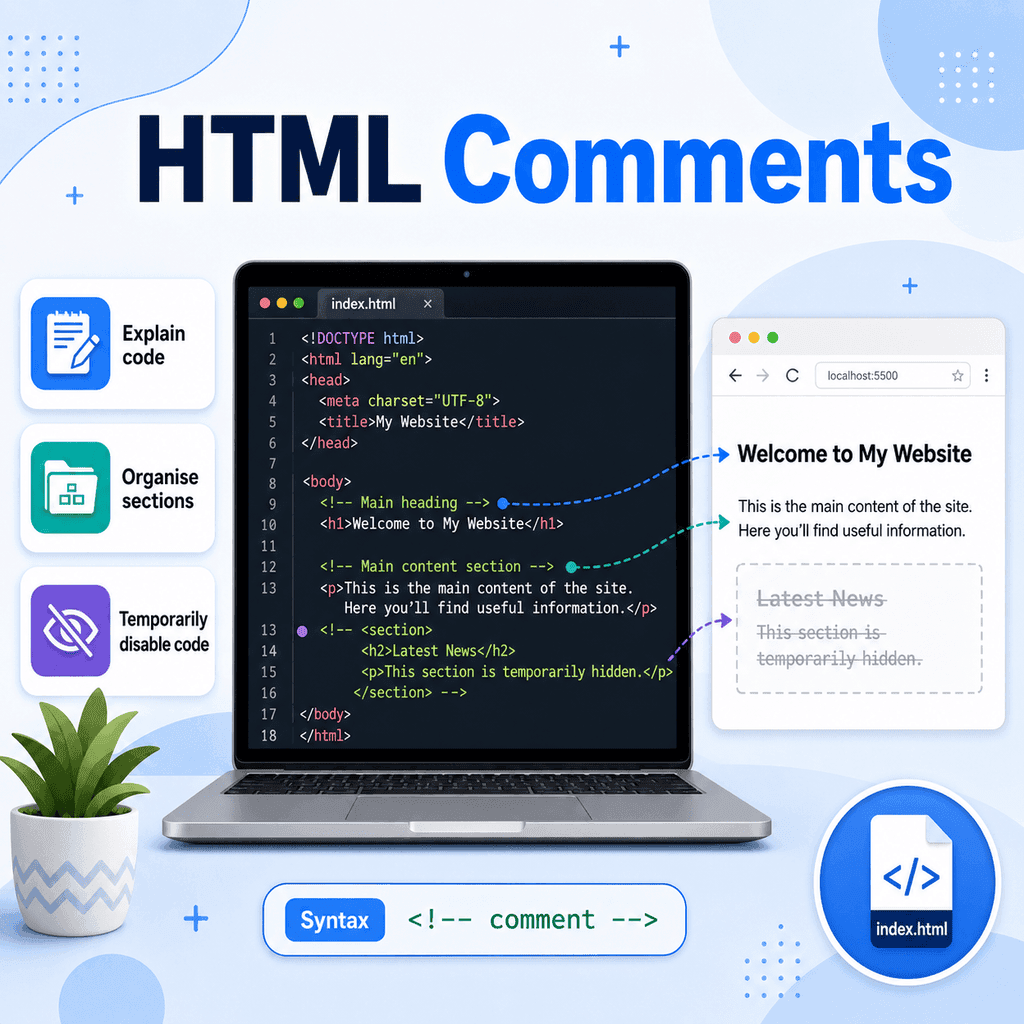
HTML comments are notes you can add inside your HTML code. They are useful for explaining what parts of your code do, organising longer files, and temporarily disabling code while you test or edit a page.
Comments are not displayed as visible content in the browser. They are written for developers, not for users reading the web page.
What Is an HTML Comment?
An HTML comment is a piece of text that the browser ignores when displaying the page.
A comment starts with:
<!–and ends with:
–>Anything between these markers is treated as a comment.
For example:
<!– This is a comment –>This comment will appear in the HTML source code, but it will not appear as visible text on the web page.
The Basic HTML Comment Syntax
The basic pattern is:
<!– Your comment goes here –>For example:
<!– This section contains the main page heading –><h1>Welcome to My Website</h1>In this example, the comment explains what the following HTML is for.
The browser displays the heading:
Welcome to My WebsiteBut it does not display the comment.
Comments Are Not Visible on the Page
HTML comments do not appear in the normal browser view.
For example:
<p>This paragraph is visible.</p> <!– This comment is not visible on the page. –> <p>This paragraph is also visible.</p>The user sees the two paragraphs, but not the comment.
However, comments can still be seen by someone who views the page source or inspects the page using browser developer tools. For that reason, do not put private information, passwords, secret notes, or sensitive data inside HTML comments.
Using Comments to Explain Code
One of the most common uses for comments is to explain what your HTML is doing.
For example:
<!– Main page title –><h1>About Our Company</h1> <!– Short introduction paragraph –><p>We create simple websites for small businesses.</p>This can be helpful when you return to a file later and want to understand it quickly.
Comments can also help other people understand your code if they are working on the same project.
Using Comments to Organise a Page
Comments can be useful for dividing a longer HTML file into sections.
For example:
<!– Header section –><header> <h1>My Website</h1></header> <!– Main content section –><main> <p>This is the main content of the page.</p></main> <!– Footer section –><footer> <p>© 2026 My Website</p></footer>These comments make it easier to scan the file and find important sections.
This is especially useful when a page becomes longer and contains many different parts.
Using Comments to Temporarily Disable Code
Comments can also be used to temporarily disable part of your HTML.
For example, suppose you have a paragraph that you do not want to show for now:
<p>This paragraph is visible.</p> <!– <p>This paragraph is temporarily hidden.</p> –> <p>This paragraph is also visible.</p>The browser ignores the commented-out paragraph, so it will not appear on the page.
This can be useful when testing changes or removing something temporarily without deleting it completely.
Commenting Out Multiple Lines
HTML comments can cover more than one line.
For example:
<!–<section> <h2>Special Offer</h2> <p>This section is temporarily hidden.</p></section>–>Everything between <!-- and --> is ignored by the browser.
This can be useful if you want to temporarily disable a larger block of HTML.
Be Careful When Commenting Out Code
When commenting out HTML, make sure the opening comment marker and closing comment marker are in the correct places.
Correct:
<!–<p>This paragraph is hidden.</p>–>Incorrect:
<!–<p>This paragraph is hidden.</p>In the incorrect version, the comment is never closed. This can cause the browser to treat the rest of the file as part of the comment.
If a large part of your page suddenly disappears, check whether you forgot to close a comment.
Comments Should Be Helpful
Good comments explain why something exists, what a section is for, or why something is temporarily disabled.
Helpful:
<!– Contact form starts here –><form> …</form>Helpful:
<!– Temporarily hidden while the new pricing section is being reviewed –><!–<section> <h2>Pricing</h2> <p>Our pricing information will appear here.</p></section>–>Less helpful:
<!– paragraph –><p>This is a paragraph.</p>This comment does not add much value because the HTML already makes it clear that the element is a paragraph.
Use comments where they improve understanding, not after every line.
Do Not Put Sensitive Information in Comments
HTML comments are not visible on the page, but they are still included in the HTML file.
Someone can usually see them by viewing the page source.
Do not write comments such as:
<!– Admin password: example123 –>or:
<!– Secret launch date: do not share yet –>Comments are useful for notes about the code, but they are not private or secure.
Comments Inside HTML Documents
HTML comments can be placed in many parts of an HTML file.
For example:
<!DOCTYPE html><html lang=”en”><head> <meta charset=”UTF-8″> <title>HTML Comments Example</title></head><body> <!– Main heading –> <h1>Learning HTML Comments</h1> <!– Introduction paragraph –> <p>Comments help explain and organise HTML code.</p> </body></html>In this example, the comments are inside the <body> element, close to the visible content they explain.
You can also use comments in other parts of a document, but they should be placed where they are useful and easy to understand.
Common Mistake: Using the Wrong Comment Syntax
HTML comments must use this syntax:
<!– This is a comment –>Do not use JavaScript-style comments in normal HTML:
// This is not an HTML commentDo not use CSS-style comments in normal HTML:
/* This is not an HTML comment */Those comment styles belong to other languages.
For HTML, use:
<!– Comment text –>Common Mistake: Forgetting the Closing Comment Marker
A common mistake is forgetting the closing -->.
Incorrect:
<!– This comment is not closed<p>This paragraph may disappear.</p>Correct:
<!– This comment is closed –><p>This paragraph is visible.</p>If you forget to close the comment, the browser may ignore more of your HTML than you intended.
Common Mistake: Putting Comments Inside Tags
Comments should not be placed inside an opening tag.
Avoid this:
<a <!– link to homepage –> href=”index.html”>Home</a>Better:
<!– Link to homepage –><a href=”index.html”>Home</a>Keep comments outside the tag so the HTML remains clear and valid.
A Complete Example
Here is a simple HTML page using comments to explain, organise, and temporarily disable code:
<!DOCTYPE html><html lang=”en”><head> <meta charset=”UTF-8″> <title>HTML Comments Example</title></head><body> <!– Header section –> <header> <h1>My Website</h1> </header> <!– Main content section –> <main> <p>Welcome to my website.</p> <!– Temporarily hidden while this section is being updated <section> <h2>Latest News</h2> <p>This news section will return soon.</p> </section> –> </main> <!– Footer section –> <footer> <p>© 2026 My Website</p> </footer> </body></html>This example uses comments in three ways.
The first comment labels the header section:
<!– Header section –>The second comment labels the main content section:
<!– Main content section –>The longer comment temporarily disables the “Latest News” section:
<!– Temporarily hidden while this section is being updated<section> <h2>Latest News</h2> <p>This news section will return soon.</p></section>–>The final comment labels the footer section:
<!– Footer section –>Best Practices
Use comments to explain sections of code that may not be obvious.
Use comments to organise longer HTML files.
Use comments to temporarily disable code while testing.
Keep comments short and useful.
Place comments near the code they describe.
Do not comment every line unnecessarily.
Do not put private or sensitive information in comments.
Do not forget the closing -->.
Do not place comments inside opening tags.
Summary
HTML comments are notes inside your code that the browser does not display as page content.
A comment starts with:
<!–and ends with:
–>A complete comment looks like this:
<!– This is a comment –>You can use comments to explain code:
<!– Main heading –><h1>Welcome</h1>You can use comments to organise a file:
<!– Footer section –><footer> <p>© 2026 My Website</p></footer>You can also use comments to temporarily disable code:
<!– <p>This paragraph is temporarily hidden.</p> –>Comments are useful, but they are not private. Anyone who views the page source may be able to see them.
Used well, comments make HTML files easier to understand, edit, and maintain.