
Introduction
CSS often has more than one rule that could apply to the same element.
For example:
p { color: black;} p { color: blue;}Both rules target paragraphs.
Both rules set the same property:
colorSo which colour should the browser use?
In this case, the paragraph becomes blue.
Why?
Because the second rule comes later in the CSS.
This is called source order.
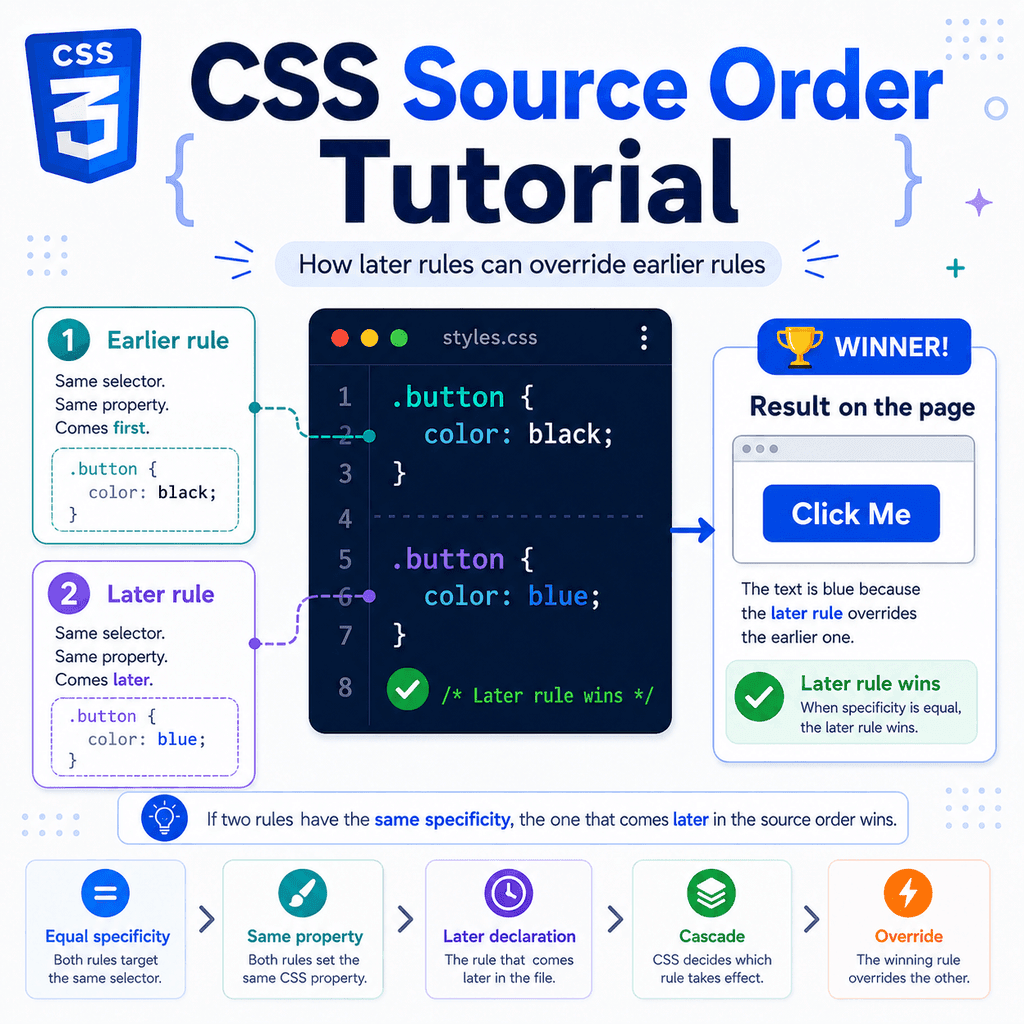
Source order means that when two CSS declarations have equal strength, the declaration that appears later usually wins.
Source order is one part of the CSS cascade.
It explains why moving a rule lower in your stylesheet can sometimes change the final style on the page.
What Is Source Order in CSS?
Source order means the order in which CSS rules appear.
When two declarations apply to the same element, affect the same property, and have equal strength, the later declaration wins.
Example:
p { color: black;} p { color: blue;}HTML:
<p>This paragraph will be blue.</p>The paragraph matches both rules.
The first rule says:
color: black;The second rule says:
color: blue;Because the second rule comes later, the paragraph becomes blue.
The earlier value is overridden.
Source Order Works When Selectors Are Equal
Source order is easiest to understand when the selectors are exactly the same.
Example:
.button { background-color: gray;} .button { background-color: blue;}HTML:
<button class=”button”>Save</button>Both rules select the same button.
Both rules set the same property:
background-colorThe second rule comes later, so the button background becomes blue.
The first background value is ignored because a later competing value wins.
Source Order Works Per Property
Source order does not remove the whole earlier rule.
It only decides conflicts property by property.
Example:
.card { color: black; padding: 20px;} .card { color: navy;}HTML:
<div class=”card”> This is a card.</div>The final result is:
color: navy;padding: 20px;The later rule overrides color.
But it does not override padding, because the later rule does not set padding.
The earlier padding still applies.
This is important.
CSS does not treat an earlier rule as completely cancelled.
It compares individual declarations.
Later Rules Can Override Earlier Rules
A later rule can override an earlier rule when both rules compete for the same element and the same property.
Example:
.alert { color: red;} .alert { color: darkred;}HTML:
<p class=”alert”>Please check your details.</p>The paragraph becomes dark red.
The first rule applies.
Then the second rule also applies.
Because both selectors are the same, the later one wins for the color property.
Source Order with Multiple Properties
A CSS rule can contain several declarations.
Source order only matters where there is a direct conflict.
Example:
.box { background-color: white; border: 1px solid gray; padding: 16px;} .box { background-color: lightblue; border-radius: 8px;}HTML:
<div class=”box”>Content</div>The final styles include:
background-color: lightblue;border: 1px solid gray;padding: 16px;border-radius: 8px;The later rule overrides background-color.
The earlier border and padding still apply.
The later border-radius is added.
This is why CSS rules can be split across different parts of a stylesheet.
The browser combines all matching declarations, then uses the cascade to resolve conflicts.
Source Order with Classes
Source order also applies to class selectors.
Example:
.message { color: green;} .message { color: blue;}HTML:
<p class=”message”>Your settings were saved.</p>The paragraph becomes blue.
Both rules use the same selector.
Both rules set the same property.
The second rule comes later.
So the second rule wins.
Reversing the Order Changes the Result
If you reverse the order, the result changes.
.message { color: blue;} .message { color: green;}Now the paragraph becomes green.
The selector did not change.
The HTML did not change.
Only the order changed.
That is source order.
Source Order with Two Different Classes
Source order can also matter when an element has multiple classes.
Example:
.success { color: green;} .warning { color: orange;}HTML:
<p class=”success warning”>Check your email.</p>The paragraph has both classes.
It matches both .success and .warning.
Both selectors have the same specificity.
Both set color.
Because .warning appears later, the paragraph becomes orange.
Now reverse the CSS:
.warning { color: orange;} .success { color: green;}The paragraph becomes green.
Again, the later rule wins because the selectors have equal specificity.
Source Order Does Not Always Win
Source order is important, but it does not beat everything.
A later rule does not automatically win if an earlier rule is more specific.
Example:
.featured { color: purple;} p { color: black;}HTML:
<p class=”featured”>Featured paragraph.</p>The paragraph becomes purple.
Why?
Because .featured is more specific than p.
Even though the p rule comes later, it is weaker.
Source order usually decides the winner only when the competing declarations have equal specificity.
Specificity Comes Before Source Order
CSS does not simply pick the last rule every time.
It considers specificity first.
Example:
.card p { color: navy;} p { color: black;}HTML:
<div class=”card”> <p>This paragraph is inside a card.</p></div>The paragraph becomes navy.
The selector .card p is more specific than p.
So the earlier rule wins.
The later p rule is too weak to override it.
A useful rule is:
If specificity is different, the more specific selector usually wins.If specificity is equal, the later rule usually wins.Source Order with Equal Specificity
Here is an example where the selectors are different but have equal specificity:
.notice { color: blue;} .warning { color: red;}HTML:
<p class=”notice warning”>Read this message.</p>Both selectors are class selectors.
Both have the same specificity.
Both apply to the paragraph.
Both set color.
The later rule wins.
So the text becomes red.
If the order changes:
.warning { color: red;} .notice { color: blue;}The text becomes blue.
The HTML is the same.
The result changes because the CSS order changed.
Source Order Across CSS Files
Source order also applies across stylesheets.
Example:
<link rel=”stylesheet” href=”base.css”><link rel=”stylesheet” href=”theme.css”>If both files contain a rule for the same selector and property, the later file can win.
base.css:
button { background-color: white;}theme.css:
button { background-color: navy;}Because theme.css is loaded after base.css, the button background becomes navy.
This is why base styles usually come before theme styles.
A common stylesheet order is:
reset stylesbase styleslayout stylescomponent stylesutility stylesoverridesThis structure allows later rules to adjust earlier general styles.
Source Order Inside the Same File
Most source order conflicts happen inside the same stylesheet.
Example:
h1 { font-size: 2rem; color: black;} h1 { color: navy;}The final h1 style is:
font-size: 2rem;color: navy;The second rule overrides only the colour.
The first rule still provides the font size.
Source Order with Component Styles
Suppose you have a reusable card component.
.card { padding: 20px; background-color: white; border: 1px solid #dddddd;} .card { background-color: #f5f8ff;}HTML:
<article class=”card”> <h2>CSS Basics</h2> <p>Learn how CSS styles web pages.</p></article>The card gets the later background colour.
The final result includes:
padding: 20px;background-color: #f5f8ff;border: 1px solid #dddddd;The later rule acts like an override.
This can be useful, but it can also become confusing if your stylesheet is not organised.
Source Order with Utility Classes
Utility classes are small classes that usually set one property.
Example:
.text-blue { color: blue;} .text-red { color: red;}HTML:
<p class=”text-blue text-red”>Important message</p>The text becomes red.
This may feel surprising at first.
The order of classes in the HTML does not decide the winner.
This does not matter:
<p class=”text-red text-blue”>Important message</p>The result is still red if .text-red comes later in the CSS.
CSS source order is based on the order of the CSS rules, not the order of class names in the HTML.
HTML Class Order Does Not Control Source Order
This is a common mistake.
Example CSS:
.large { font-size: 2rem;} .small { font-size: 0.875rem;}HTML:
<p class=”small large”>Text</p>The paragraph becomes small, not large.
Why?
Because .small appears later in the CSS.
The class order in HTML does not make .large stronger.
This version gives the same result:
<p class=”large small”>Text</p>The CSS order decides the conflict.
Source Order and Browser Developer Tools
Browser developer tools can help you see source order.
When a declaration is overridden, it is often crossed out.
Example:
.title { color: black;} .title { color: blue;}In developer tools, you may see color: black; crossed out.
That means the browser found another declaration that wins.
The winning declaration is usually shown as active.
If both selectors have equal specificity, the active one is often the later one.
This makes developer tools useful for debugging CSS conflicts.
Source Order and the Cascade
Source order is part of the cascade.
The cascade is the system browsers use to decide which CSS declaration wins.
A simplified version is:
importancespecificitysource orderFor everyday CSS, source order matters most when specificity is tied.
Example:
.button { color: white;} .button { color: black;}Both selectors are equal.
The later declaration wins.
But here:
.primary-button { color: white;} button { color: black;}The class selector usually wins because it is more specific than the type selector.
Even if the type selector appears later, it does not automatically win.
Source Order with Shorthand Properties
Source order can be especially important with shorthand properties.
Example:
.box { margin-top: 40px;} .box { margin: 0;}The final top margin is 0.
Why?
Because margin is a shorthand property.
It sets all four sides:
margin-topmargin-rightmargin-bottommargin-leftSo the later margin: 0; overrides the earlier margin-top: 40px;.
Now reverse the order:
.box { margin: 0;} .box { margin-top: 40px;}The final top margin is 40px.
The later longhand property overrides the top part of the earlier shorthand.
Source Order with Borders
The same idea applies to borders.
Example:
.card { border-color: blue;} .card { border: 1px solid gray;}The final border colour is gray.
The border shorthand sets border width, border style, and border colour.
Because it comes later, it overrides the earlier border-color.
Reverse the order:
.card { border: 1px solid gray;} .card { border-color: blue;}Now the final border colour is blue.
This is why shorthand properties can accidentally override earlier longhand properties.
Source Order and Media Queries
Source order can also matter with media queries.
Example:
.card { width: 100%;} @media (min-width: 700px) { .card { width: 50%; }}When the viewport is at least 700px wide, the card becomes 50%.
The media query rule comes later and applies only when its condition is true.
If the media query condition is false, the earlier rule remains.
Source order only matters among rules that actually apply.
Media Query Order Matters
This can become important when multiple media queries apply at the same time.
Example:
.box { width: 100%;} @media (min-width: 600px) { .box { width: 75%; }} @media (min-width: 900px) { .box { width: 50%; }}At 950px, both media queries apply.
The 600px rule applies.
The 900px rule also applies.
Because the 900px rule comes later, the box becomes 50%.
This works well because the breakpoints go from smaller to larger.
If you reverse the media queries, you may get a different result.
Source Order with Hover Styles
Source order also affects pseudo-classes when specificity is equal.
Example:
a:hover { color: red;} a:focus { color: blue;}If a link is both hovered and focused, both rules may apply.
Both selectors have similar specificity.
The later rule can win for the color property.
So the link may become blue.
To avoid confusion, you can combine states intentionally:
a:hover,a:focus-visible { color: blue;}This makes the intended behaviour clearer.
Source Order with Link States
Links have several pseudo-classes.
Common ones include:
a:linka:visiteda:hovera:focusa:activeBecause some link states can overlap, order can matter.
A common pattern is:
a:link { color: blue;} a:visited { color: purple;} a:hover,a:focus-visible { text-decoration: underline;} a:active { color: red;}The exact design is up to you.
The important point is that link state rules can compete.
When they do, source order helps decide which declaration wins if specificity is equal.
Source Order and Overrides
Sometimes you intentionally write a later rule to override an earlier rule.
Example:
.button { background-color: gray; color: white;} .button-primary { background-color: blue;}HTML:
<button class=”button button-primary”>Save</button>The button has both classes.
The base button class provides the shared styles.
The primary button class changes the background.
The final result is:
background-color: blue;color: white;This is a useful pattern.
The base class gives common styling.
The modifier class changes one part.
Put General Rules Before Specific Rules
A good CSS structure usually puts general rules first.
Example:
.button { padding: 10px 16px; border: 0; background-color: gray; color: white;} .button-primary { background-color: blue;} .button-danger { background-color: red;}HTML:
<button class=”button button-primary”>Save</button><button class=”button button-danger”>Delete</button>The general .button rule comes first.
The button variations come later.
This makes the cascade easier to understand.
Avoid Random Overrides
Source order is useful, but random overrides can make CSS hard to maintain.
This is harder to understand:
.card { padding: 20px;} .title { color: navy;} .card { padding: 32px;} .button { background-color: blue;} .card { padding: 16px;}The .card padding changes several times.
The final value is 16px, but you have to read the whole stylesheet to know that.
A clearer version is:
.card { padding: 16px;} .title { color: navy;} .button { background-color: blue;}Do not rely on source order when a single clear rule would be better.
Use Source Order Deliberately
Source order is not bad.
It is a normal part of CSS.
The key is to use it deliberately.
Good use:
.button { background-color: gray;} .button-primary { background-color: blue;}Less clear use:
.button { background-color: gray;} /* many unrelated rules here */ .button { background-color: blue;}The first version makes the relationship clearer.
The second version can be harder to debug.
Source Order and !important
The !important flag can override normal source order.
Example:
.alert { color: red !important;} .alert { color: black;}The text remains red.
Even though color: black; comes later, the earlier declaration is marked !important.
It is usually better to avoid !important unless there is a strong reason.
It can make CSS harder to override later.
Use source order, specificity, and better organisation first.
Common Source Order Mistakes
A common mistake is thinking the last class in the HTML wins.
Example:
<p class=”blue red”>Text</p>The class red does not automatically win because it appears last in the HTML.
The CSS order decides:
.red { color: red;} .blue { color: blue;}In this case, the text becomes blue.
Another common mistake is forgetting that specificity can beat source order.
Example:
#main-title { color: green;} .title { color: blue;}HTML:
<h1 id=”main-title” class=”title”>Welcome</h1>The heading becomes green.
The ID selector is more specific, even though the class selector comes later.
How to Debug Source Order Problems
When a style does not apply, check these things:
Does the selector match the element?Is another rule setting the same property?Is the other rule more specific?Does the other rule come later?Is !important involved?Is the rule inside a media query?Most source order problems come from a later rule overriding an earlier one.
Browser developer tools can show which declarations are active and which are crossed out.
That is usually the fastest way to find the conflict.
A Full Source Order Example
HTML:
<p class=”message success”> Your profile was updated.</p>CSS:
.message { color: black; font-weight: normal;} .success { color: green;} .message { font-weight: bold;}The paragraph matches all three rules.
The final result is:
color: green;font-weight: bold;Why?
The first .message rule sets color and font-weight.
The .success rule sets color later, so it overrides the earlier colour.
The final .message rule sets font-weight later, so it overrides the earlier font weight.
Each property is resolved separately.
Another Full Example
HTML:
<button class=”button primary”> Continue</button>CSS:
.button { background-color: gray; color: white; padding: 12px 18px;} .primary { background-color: blue;} .button { padding: 16px 24px;}The final styles include:
background-color: blue;color: white;padding: 16px 24px;The .primary rule overrides the background colour.
The later .button rule overrides the padding.
The first .button rule still provides the text colour.
Best Practices for Source Order
Put broad rules before narrow rules.
Put base styles before component styles.
Put default component styles before component variations.
Keep related rules close together.
Avoid writing the same selector many times unless there is a clear reason.
Do not depend on HTML class order to control styling.
Use browser developer tools to inspect which declaration is winning.
Avoid !important for normal styling problems.
Quick Summary
Source order is the order in which CSS rules appear.
When two declarations have equal strength and affect the same property, the later declaration usually wins.
Source order works per property, not per whole rule.
The order of class names in HTML does not control which class wins.
Specificity usually matters before source order.
A more specific earlier selector can beat a less specific later selector.
Source order is useful when it is intentional and organised.
It becomes confusing when styles are scattered or repeatedly overwritten.
Understanding source order makes CSS easier to debug, easier to organise, and easier to control.